admin 23/09/2024 10:40:20
This facility enables orders to be placed via uploading a pre-prepared spreadsheet.
The file formats supported are currently only xls and xlsx.
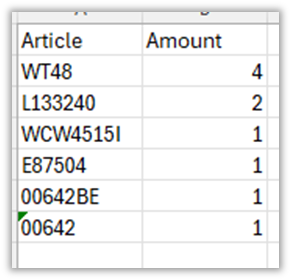
The file, if prepared with Excel for example, should contain only two columns of information: the item number in the first column A, and the Quantity required in the second column B.
Attention: The Item code needs to be exactly as used by Bachmann, also case sensitive, and should start at row 2. The first line is not imported, it is simply a header but must be present. In our example we named the column header rows A1 “Article” and B1 “Amount”.
The picture below shows a working file:
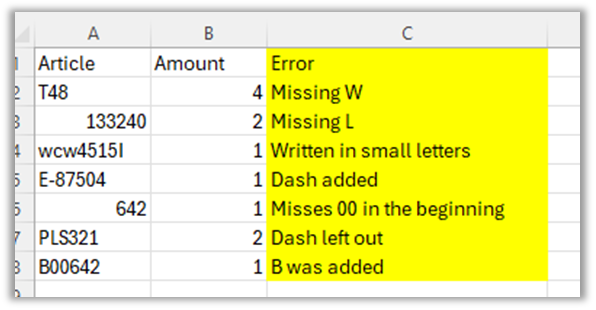
This picture shows a file with common mistakes when orders are issued. The website will not add those for the given reason (column C)
Multiple Order Quantity (MOQ)
MOQ’s are validated during the upload. In our example shown above are two highlighted items: 36-006B has an MOQ of 3, therefore 5 is not a valid multiple. Only multiples of 3 will pass validation, for example 3, 6 or 9. Item 34-630B has an MOQ of 2 therefore the quantity of 4 will pass validation as 4 is a multiple of 2. Only validated items are loaded into the cart.
How to upload
Click My Cart from the menu.

Click the Upload from spreadsheet button – an uploader will appear:
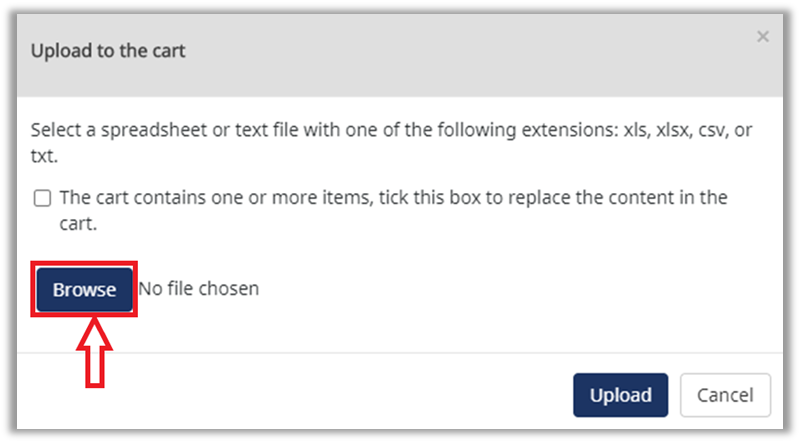
Click the Browse button to select your prepared file from your computer:
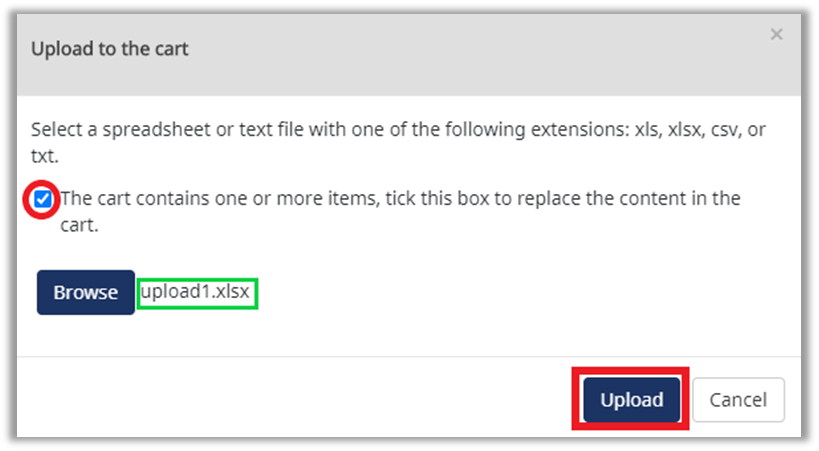
The selected file name is now shown.
If you wish to replace any existing items in the current Cart with the contents of the sheet selected, tick the “box to replace the content of the cart” above. Then click the Upload button
Invalid product codes
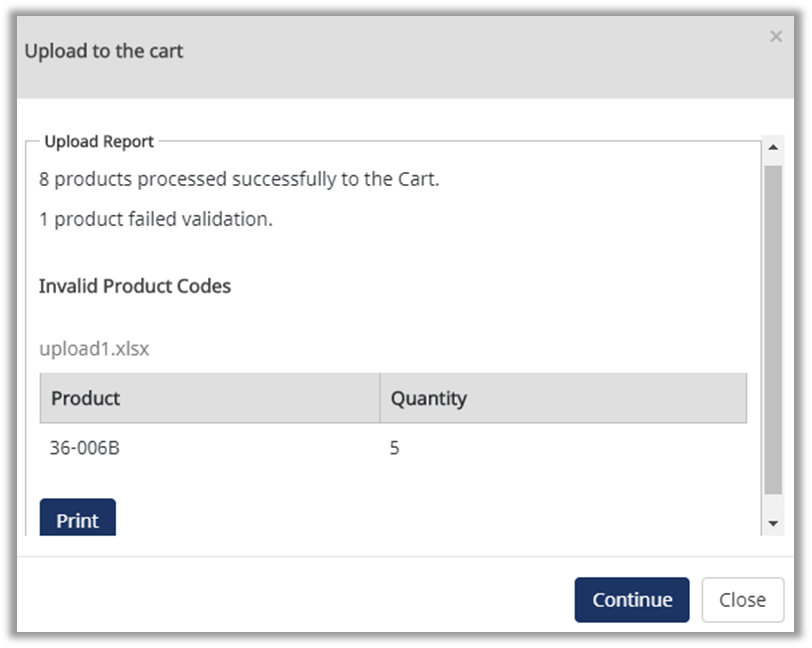
After uploading the sheet an Upload Report will show how many lines were successfully imported and how many failed the validation, with those that failed being shown in a table below. In our example the item 36-006B with a Quantity of 5 failed due to the quantity required being incompatible with the MOQ. Attempting to use codes that do not match the database of products will also fail validation (see above). This report can be printed for reference.
You may upload another sheet if you wish to add to this cart, or when done click the Cancel or Close button on the uploader. The lines will be placed into the cart.
